
Everything You Need to Know About Site Plans & Purchases on MyHeritage

MyHeritage believes that everyone in the world has a right to know their family history, and that’s why the company provides many valuable family tree building and family history research tools for free.
Start your family tree
and make new discoveries

However, MyHeritage also offers paid features and services that can simplify and enrich your genealogy journey.
In this article, we’ll explore all of MyHeritage’s paid features, plans, and purchases, and show you how to track your purchases on MyHeritage.
Plans
Family site plans
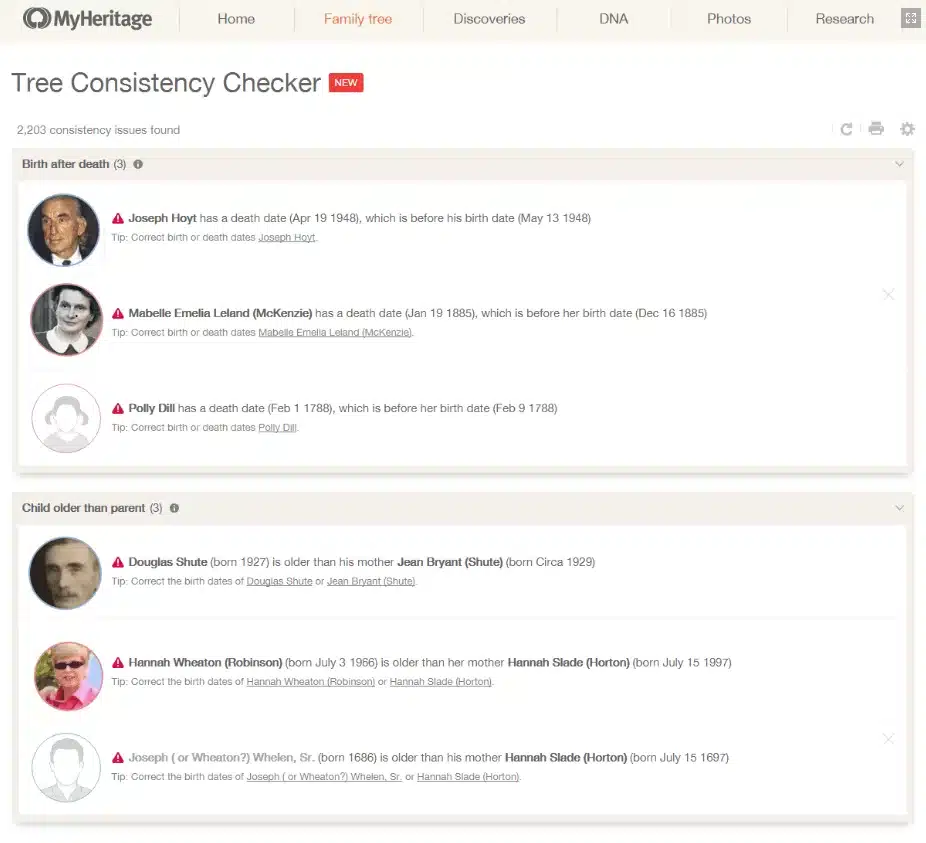
Family site plans give you access to the features and tools on MyHeritage related to building your family tree, as well as the advanced DNA features. When you have a family site plan, you’ll be able to take full advantage of features like Smart Matches™, Instant Discoveries™, and the Tree Consistency Checker.
There are two different types of family site plans: Premium and PremiumPlus.
Premium includes:
- A family tree of up to 2,500 people
- Smart Matches™
- Family tree chart creation
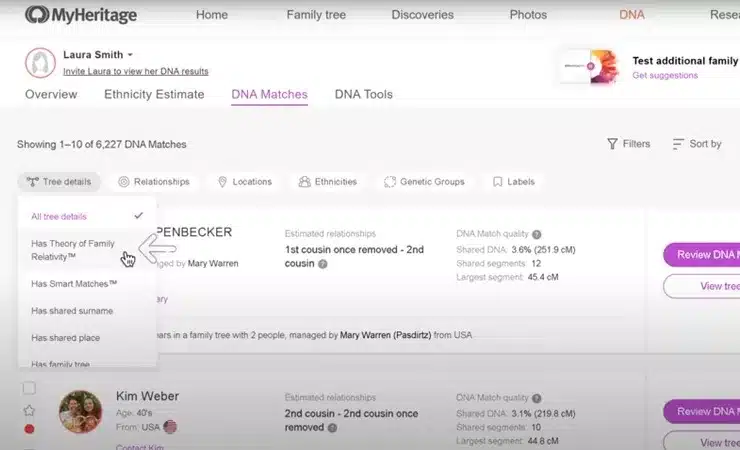
- Advanced DNA features
PremiumPlus also includes:
- Unlimited family tree size
- Instant Discoveries™
- Tree Consistency Checker
Data plan
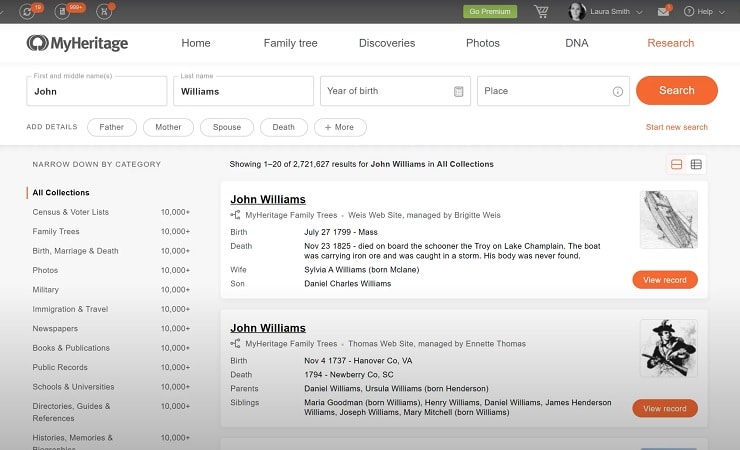
A Data plan provides full access to all the features on MyHeritage relating to researching historical records, such as the record search engine and Record Matches.
It allows you to:
- View all the details of over 35 billion historical records on MyHeritage
- View and download hi-res scans of original historical documents, when available
- Confirm or reject Record Matches
- Extract information directly from records to profiles on your tree, either via the search engine or Record Matches
- Save records directly to the profile pages of individuals on your tree
Complete plan
The Complete plan combines the benefits of the PremiumPlus family site plan with the Data plan — plus expanded access to the MyHeritage photo features, including unlimited use of photo colorization, enhancement, repair, and animation with Deep Nostalgia™. The Complete plan is our most popular plan.
Omni plan
The Omni plan is MyHeritage’s best, all-inclusive plan. It includes all the benefits of the Complete plan, plus:
- Full access to hundreds of millions of historical newspapers on our website OldNews.com
- Full access to thousands of genealogy and DNA webinars on our Legacy Family Tree Webinars platform
- AGeni Pro plan
- Unlimited photo scanning on the MyHeritage mobile app
- Extensive use of LiveMemory™, the feature that turns family photos into video clips to bring the past to life
Photo plan
For those interested specifically in MyHeritage’s incredible photo features, we also offer the Photo plan, which includes:
- Unlimited use of MyHeritage In Color™, the Photo Enhancer, Photo Repair, and Deep Nostalgia™
- Extensive use of LiveMemory™, the feature that turns family photos into video clips to bring the past to life
- Unlimited photo scanning on the MyHeritage mobile app
How to upgrade your plan
If you wish to upgrade your plan, click your name on the user strip at the very top of the screen and select “Site settings.”
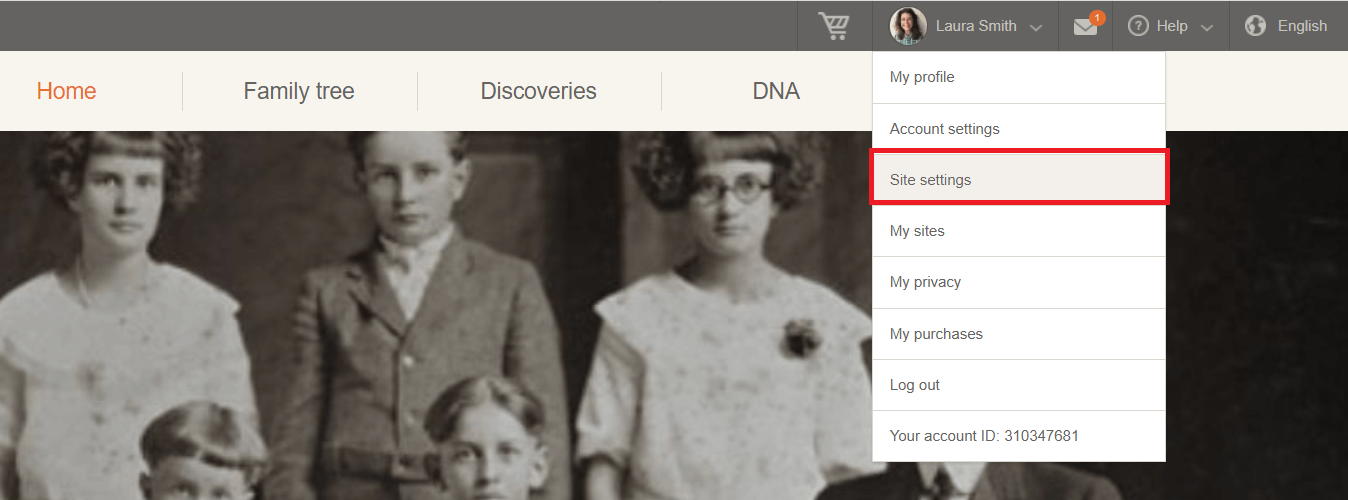
Click “Upgrade your site plan” and select the plan you would like to upgrade to, then proceed to the payment page.
MyHeritage DNA
The MyHeritage DNA kit is a simple cheek-swab autosomal DNA test for genetic genealogy that discovers your relatives by matching you to millions of people who tested their DNA on MyHeritage. It also provides a percentage-based Ethnicity Estimate based on 42 ethnic regions around the world.
To purchase a MyHeritage DNA kit, click here, or hover your cursor over the “DNA” tab in the navigation bar and select “Order DNA kits.”
Once you have purchased a kit, you’ll receive updates via email regarding its status. You’ll also receive updates when your sample has been received by the lab. To monitor your DNA kit’s status, hover your cursor over the “DNA” tab in the navigation bar and select “Manage DNA kits.” You’ll see a list of DNA kits and files alongside their type and status.
Health upgrade
The Health upgrade provides users who have purchased a MyHeritage DNA kit with an assessment of how your genes may affect your health, including comprehensive polygenic and monogenic risk reports and carrier status reports.
To purchase a Health upgrade, go to “Manage DNA kits” under the DNA tab in the navigation bar. A blue “Upgrade to Health” button will appear next to any kits that are eligible for an upgrade. Click the button to add the upgrade to your cart. After you complete the purchase, your results will be ready in a few days. You’ll receive an email notifying you when they are ready.
Note that the Health upgrade is not available in some countries and U.S. states. Click here to learn more about who is eligible for a MyHeritage DNA test.
Online backup service
The backup service is a paid service separate from the site plans, meaning it’s available to anyone who has a family tree on MyHeritage for an additional fee. This service backs up your family tree once a month and sends you an email with a link to download the backup file to your computer.
To activate the backup service, hover your cursor over the “Family tree” tab in the navigation bar and select “More,” then click “Backup.” Then click “Get started” and follow the instructions to complete the purchase.
Comments
No comments yet. Be the first!