
Import Your Family Tree to MyHeritage & Uncover Your Global Roots
Did you know that if you started building your family tree using another service, you can import it to MyHeritage as a GEDCOM file and enjoy all the benefits we offer? There’s no need to start from scratch. Importing your tree is quick, easy, and free.
Start your family tree
and make new discoveries

Import your family tree to MyHeritage for free
If you’ve hit brick walls using other services, especially if you’ve struggled to get past the immigrant generation and research your roots in other countries, MyHeritage offers some unique features that could help you take your research to the next level.
How to import your family tree to MyHeritage
Importing your family tree to MyHeritage is very simple. All you need to do is download or save your family tree as a GEDCOM file from your current service, and then upload that file to MyHeritage. Here’s how it works:
Step 1: Export your tree as a GEDCOM file
GEDCOM is the international standardized file type for saving family tree information. Any family tree building software, whether it’s online or installed on your computer, should be able to export your tree using this file format. Exactly how to do so varies from service to service. On Ancestry, for example, you’ll find this option under “Tree settings”. You click “Export tree”. and then click “Download your GEDCOM file” once the file is ready. You can find step-by-step instructions on exporting your tree from Ancestry here, from Family Tree Maker® here, and from Findmypast here.
The tree will be saved to your computer as a file with the file extension “.ged”.
Step 2: Import your tree
Once you have the GEDCOM file saved on your computer:
- If you don’t have a MyHeritage account yet: Visit myheritage.com/import-family-tree and click the “Import your family tree” button. Fill in a few details to register to MyHeritage for free, and click “Get started.”
- If you already have a MyHeritage account: Log in, hover over the “Family tree” tab in the navigation bar, and select “Import GEDCOM” from the menu.
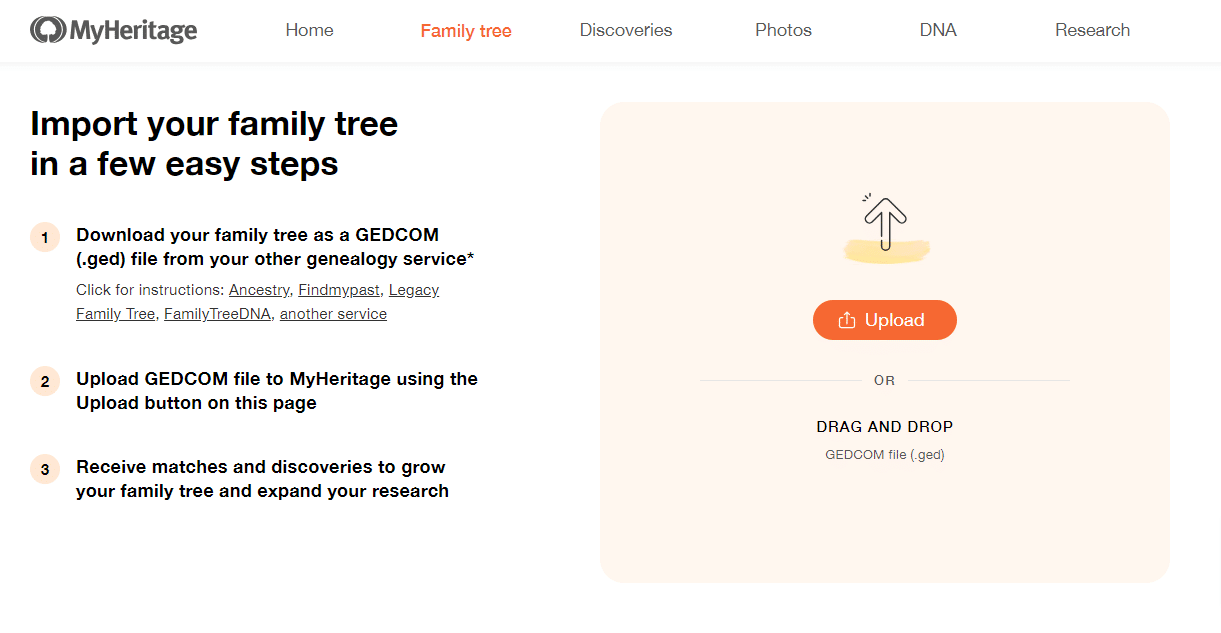
Importing a family tree as a GEDCOM file to MyHeritage
Click “Upload” and select the .ged file from your computer, or drag and drop it onto the page.
The file may take a few moments to load, especially if your tree is large. You’ll receive an email when it’s ready.
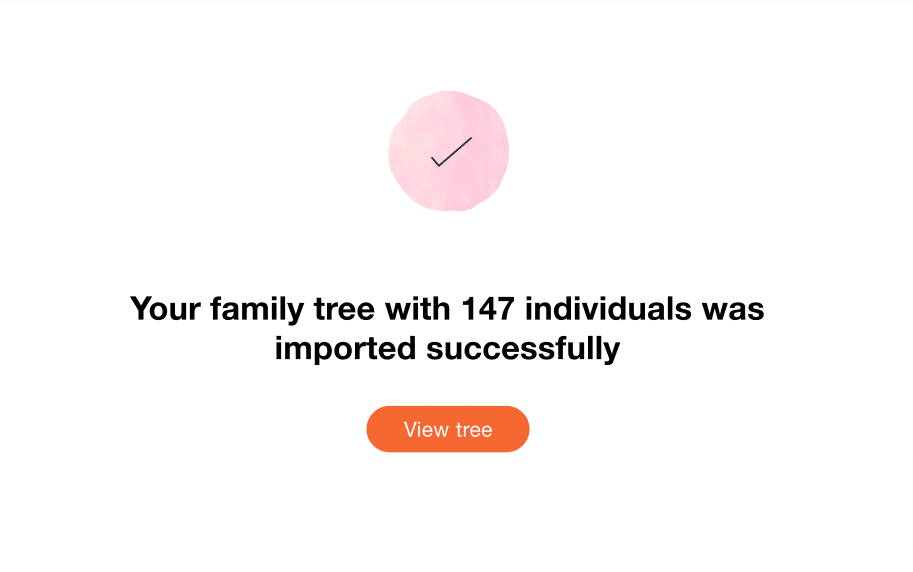
The screen indicating that the tree was successfully imported
Click “View tree” to get started reviewing your matches!
What people are saying
Tina Pederson of Oregon, U.S., imported her family tree to MyHeritage and immediately received almost 260 matches. “Within the first 5 minutes I confirmed 15,” she told us. “I also found a newspaper article about my great-grandfather that I didn’t know existed, which mentioned his occupation and dealings with the community. I had also been looking for pictures of some ancestors for years and years, and when I uploaded my GEDCOM to MyHeritage, I was able to find dozens of pictures. I was super excited.”
Mykel Crerie from California says: “I’ve used many different genealogy sites over the years. MyHeritage is so unique because members are not just from the United States, there are members all over the world. It was so easy to import my family tree, and it enabled me to really connect with other users, because not only did they contact me about information from my tree, but I was able to get information from other members’ trees, which has been mind-blowing. Things that I never would have imagined knowing, I now know because of MyHeritage.”
“It was not hard to import my GEDCOM to MyHeritage,” says Anthony Hjelmstad from Colorado. “I like that MyHeritage is more European-based and has a lot of European information that some of the other, American sites do not have. It also has a lot of good tools.”
Suzy Davis from Illinois told us that she made incredible discoveries about her family members after importing her tree to MyHeritage: “It was pretty easy for me to import my family tree, and because MyHeritage spans many more countries than some of the other services, I was able to find relatives I didn’t know I had from all over Europe,” says Suzy. “I was not able to find any of these people through other services.”
The MyHeritage advantage
Importing your family tree to MyHeritage opens up a whole new world of possibilities. Here are some of the benefits:
20 billion historical records from all over the world
Our vast repository of historical records includes essential documents from Europe, the U.S., and other regions — and many of them are exclusive. Some highlights include:
- Vital records from 48 countries
- Exclusive collections from Germany, Sweden, Norway, Denmark, France, Greece, Italy, Ireland and many more
- 26,000 U.S. City Directories with 545 million records
- 2 billion names extracted from millions of U.S. and Canadian newspapers
- U.S. Census, 1790–1950
- U.K. & Ireland Census, 1841–1911
With your family tree on MyHeritage, you’ll be able to extract information from records straight into it — and receive automatic matches to historical records. That brings us to the next benefit:
Automatic matches that deliver new discoveries straight to you
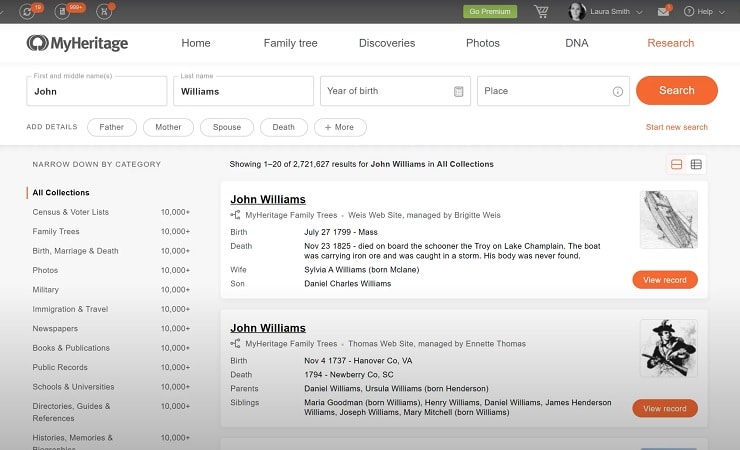
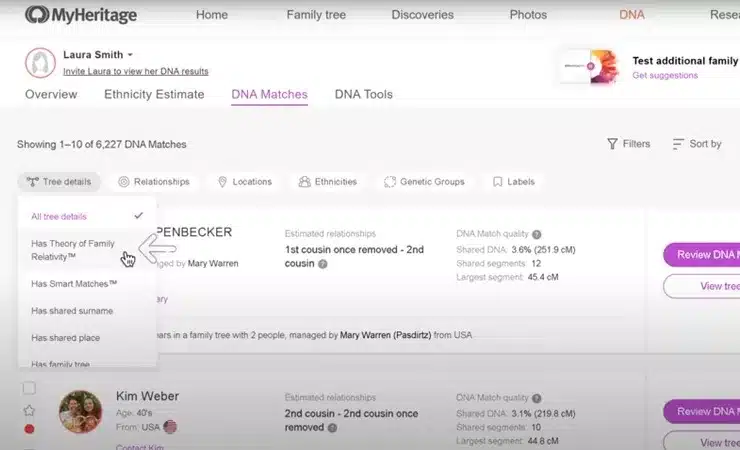
Our Record Matching and Smart Matching™ technologies find historical records and other family trees that match your tree and bring new information straight to you. You’ll be able to review your matches, confirm them, and decide which information to extract to your tree. Matches can save you hours of research and sometimes help you locate information you wouldn’t have found otherwise.
The most globally diverse database of family trees and DNA kits
MyHeritage has a more international user base than other services, and that means that you are much more likely to receive matches to family trees and relatives who live overseas. MyHeritage is available in 42 languages, and our Global Translation Technology™ makes it possible to use your own language to search, locate, and understand historical records in other languages. You could also receive Record Matches with records in other languages that will be translated or transliterated back into yours. This unique feature, exclusive to MyHeritage, is crucial for overcoming language barriers when researching ancestors who lived in other countries.
The Consistency Checker to keep your tree accurate
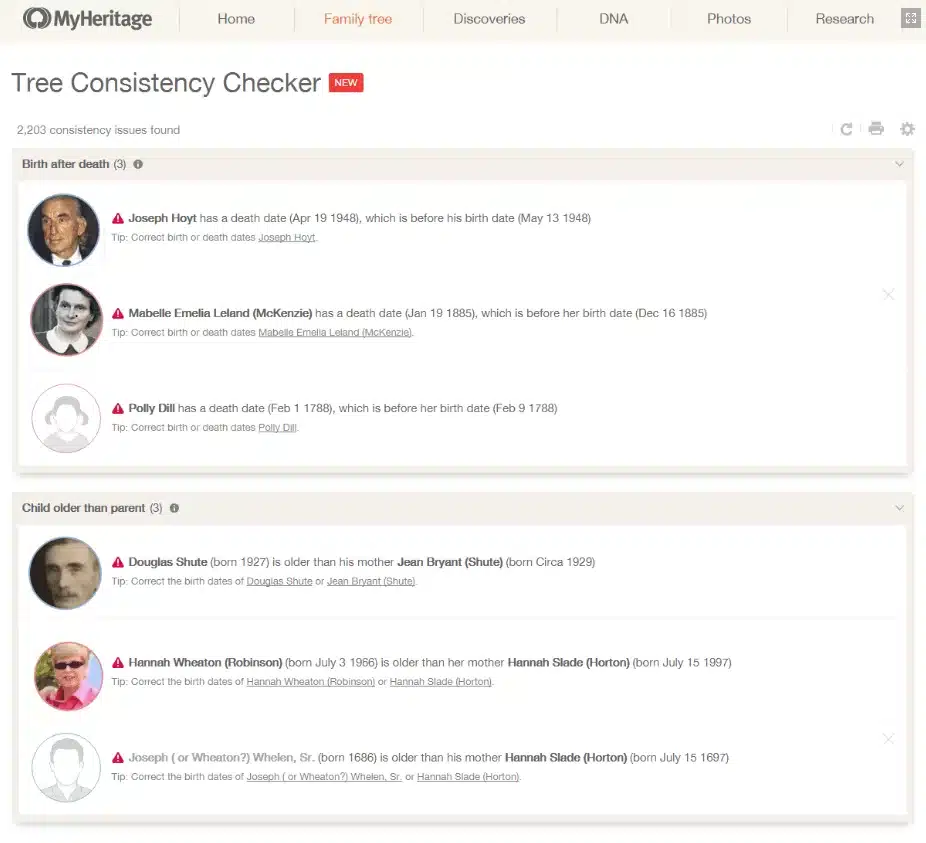
MyHeritage’s Consistency Checker scans your tree for 36 types of potential errors and recommends fixes, some of which you can apply with a click. Keeping your tree accurate, consistent, and error-free is key to ensuring the quality of your research, and resolving contradictions you hadn’t noticed before may pave the way to new discoveries. It’s more comprehensive than similar tools offered by other services.
Powerful AI technologies for enhancing historical photos
Since 2020, MyHeritage has been home to the world’s best technologies for enhancing, repairing, colorizing, and animating old family photos. MyHeritage also offers PhotoDater™, which estimates when a given photo was taken; the Photo Tagger, a feature that allows you to tag multiple photos of a certain individual at once; and the multi-photo scanner on the Reimagine app (soon to be available on the MyHeritage app as well) that enables you to scan entire albums in minutes.
Trusted by millions of users worldwide
Security and privacy are top priorities at MyHeritage. We are the only consumer DNA company to date that has committed, as part of our privacy policy, to never sell or license data to third parties. You can rest assured that your family tree data is safe with us.
Frequently Asked Questions
What file type do I need to import my family tree?
You’ll need a GEDCOM file, the universal standard for family tree information. Most genealogy platforms let you export your tree in this format.
How do I export my tree as a GEDCOM?
Simply use the export or download feature on your current genealogy service (like Ancestry, Family Tree Maker, or Findmypast), and save the resulting .ged file to your computer.
How do I upload my GEDCOM file to MyHeritage?
If you’re new, visit the import page, register or log in, choose your GEDCOM file, and upload it. Existing users can log in, select “Import GEDCOM” under the Family Tree menu, and then upload the file.
How much does it cost to upload my family tree?
It’s completely free to import your family tree to MyHeritage, no matter the size.
What benefits will I get after importing my tree?
Once uploaded, you’ll unlock powerful features like Smart Matches™, Record Matches, and Instant Discoveries™, plus access to billions of global historical records and potential new photos of your relatives.
How soon will I see new matches or records?
Typically within minutes to hours after upload — MyHeritage scans your tree automatically and notifies you of matches and discoveries by email when ready.
What discoveries will you make on MyHeritage? Import your family tree now and find out!
Comments
No comments yet. Be the first!