
What Smart Matches™ Are and How to Make the Most of Them
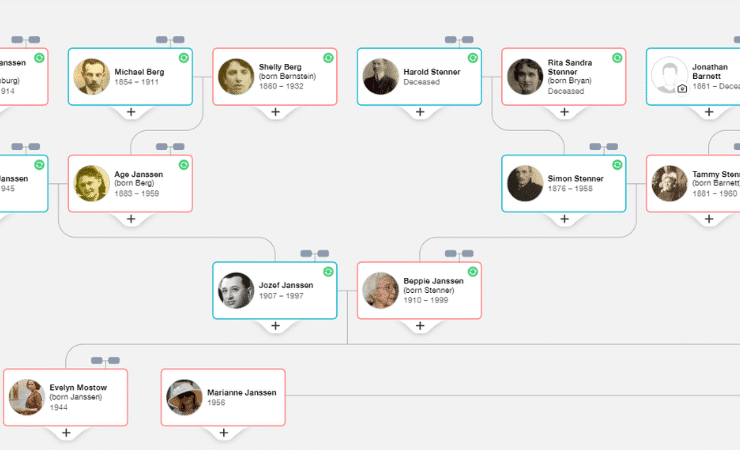
Smart Matching™ is a powerful genealogy technology that matches people you’ve entered in your family tree with people that other MyHeritage members have entered into their trees.
Start your family tree
and make new discoveries

Grow your family tree with Smart Matches™
When you add a person to your family tree, MyHeritage’s algorithms will immediately get to work searching our vast database of family trees to find entries that appear to list the same person.
Smart Matches™ can help you with your genealogy research in a number of ways. The person who added the same individual to their own family tree may have additional information about him or her that you don’t have yet. This could be anything from birth dates or birth place to additional family members — or even photos.
Each individual you add to your tree increases the chance for additional discoveries. With Smart Matches™, you might be able to grow your tree exponentially or learn valuable new information you wouldn’t have found from other sources.
How to access Smart Matches™
There are several ways to access Smart Matches™.
One way is directly from your family tree. When a Smart Match™ is found for a person on your tree, a green icon will appear on their person card.
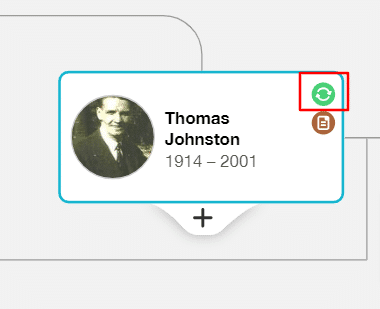
You can click the icon to see any Smart Matches™ that have been found for that person.
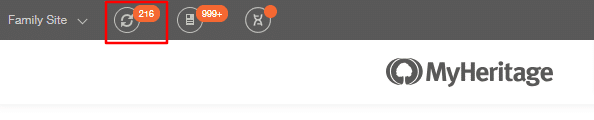
Another way to access Smart Matches™ is by clicking the gray icon on the left side of user strip at the very top of your screen.
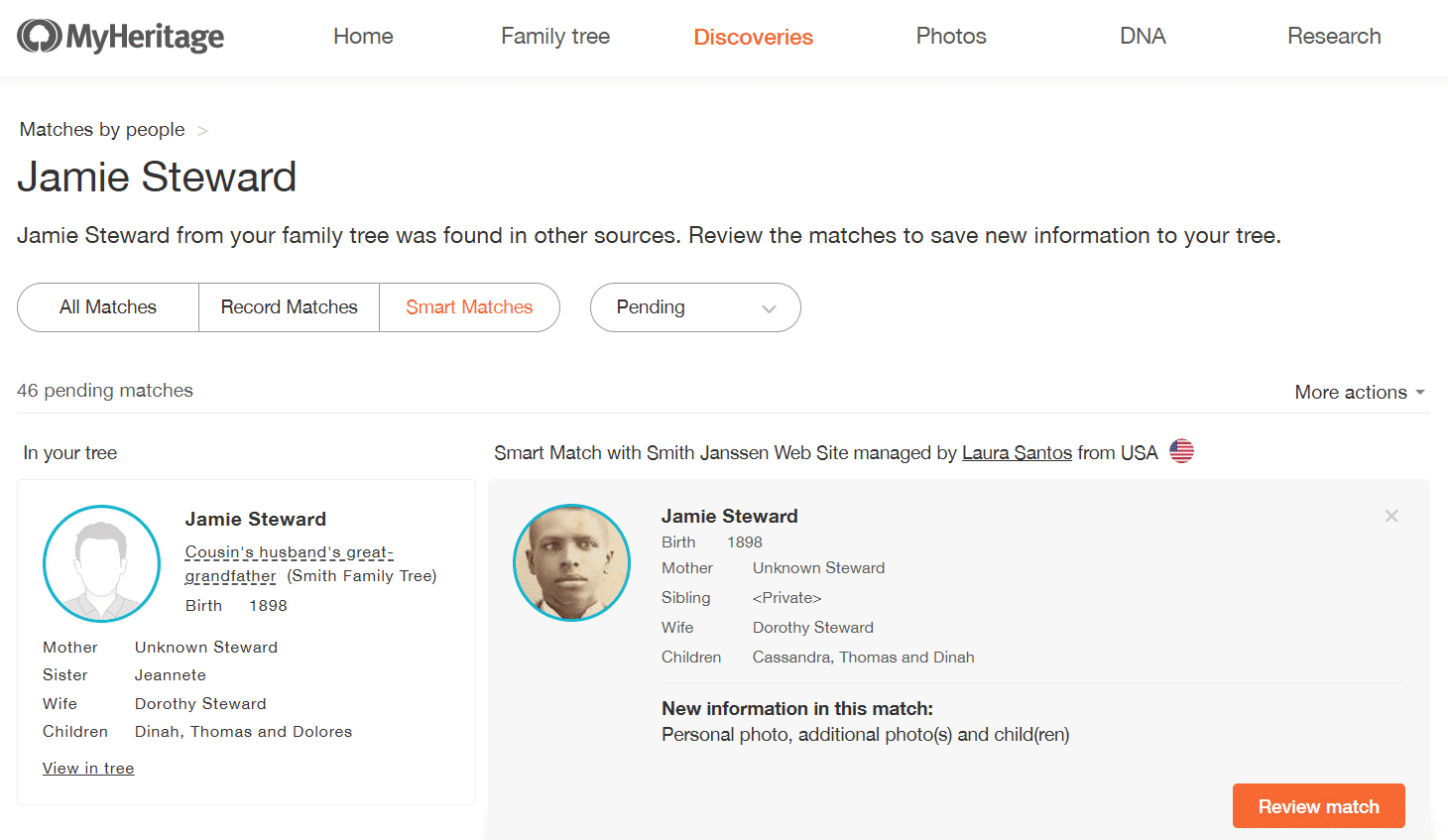
A third way is to hover your cursor over the Discoveries tab on the navigation bar and select “Matches by people” or “Matches by source.”

Select the “Smart Matches” tab at the top of the screen. “Matches by people” organizes your matches according to the people for whom those matches have been found, while “Matches by source” organizes them according to the sources (for Smart Matches™ — the family trees) where they were found.
Making the most of your Smart Matches™
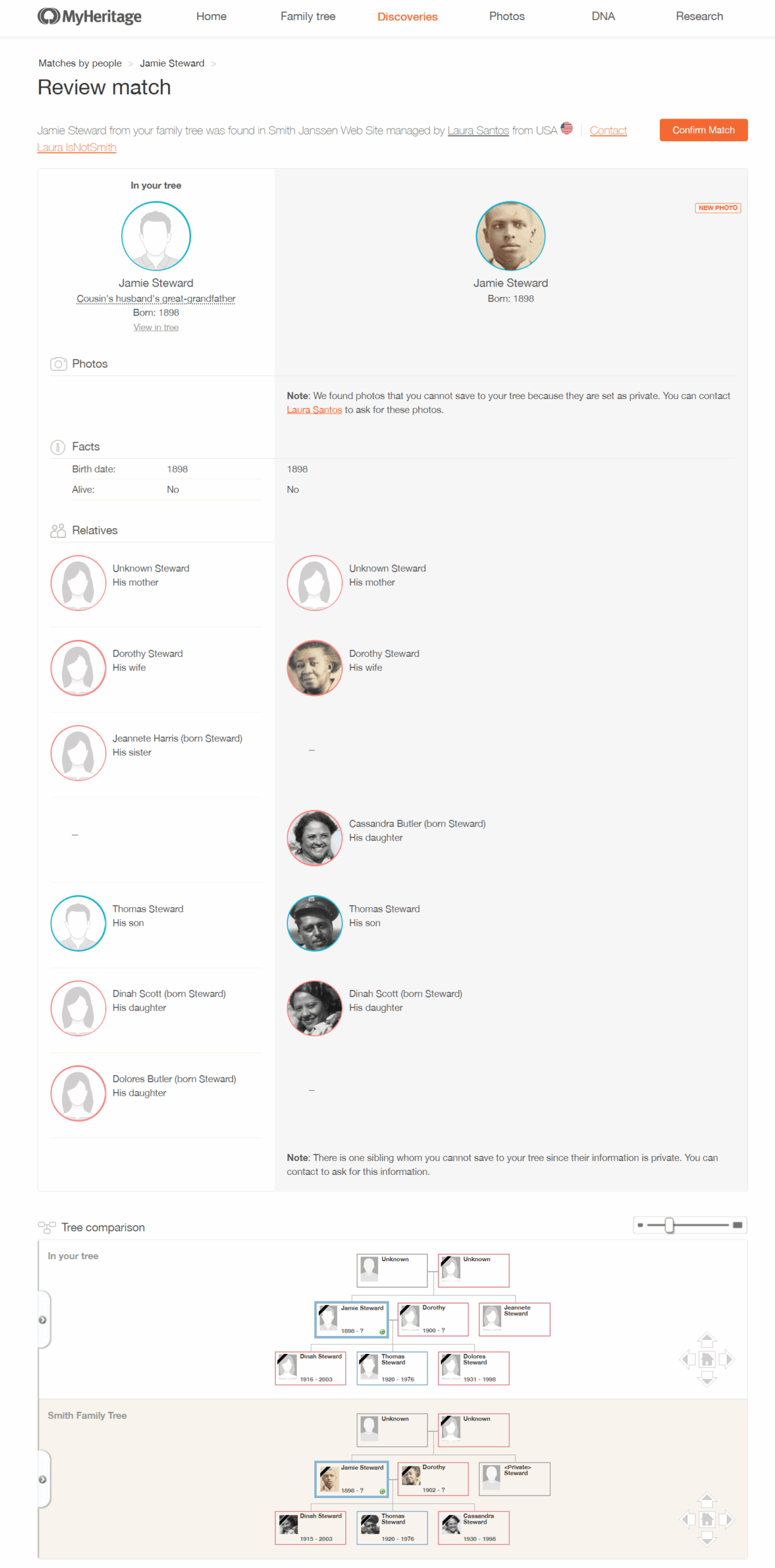
Verify that the match is accurate
Ingenealogy research, it’s very important to verify and record the source of every piece of information you add to your tree. MyHeritage’s algorithms are robust and accurate, but there’s always a chance the Smart Match™ is incorrect; maybe as the result of a coincidence (a different person born around the same time and place with similar names in the family) or human error (a user entering incorrect information). Before confirming a Smart Match™, verify that the details do seem to correspond with the data you have.
Check the “New info”
Some Smart Matches™ will provide a wealth of new information, while others won’t provide anything new at all. By default, Smart Matches™ are sorted according to the value they can add to your tree. (You can also sort by number of matches, most recent, first name, last name, or relation, if you prefer.) On each match card, you’ll see a “New info” section that indicates what new information the match can provide for you.
Take a look at the tree the Smart Match™ is from
If you’re not sure whether the Smart Match™ is accurate, you can always take a look at the tree where it was found. What you see on there may help you verify whether the match is accurate — and may also reveal new and valuable information.
Contact the other tree owner and request site membership
You may find that the information you can view on the other user’s tree is limited by their privacy settings. Besides, there’s nothing like getting the whole story directly from the person who entered the information into their tree in the first place. They may have additional information they haven’t entered into their MyHeritage tree.
Once you confirm a match, you can contact the owner of the tree on which the match was found via private message. You can also request membership to their family site, so you can see additional details that may be visible to site members only.
Extract information manually
When you confirm a Smart Match™, you’ll be able to extract information and add it to your tree. Instead of selecting “Extract all info,” we recommend carefully reviewing each section of the match and comparing the information on your tree to the information from the Smart Match™. You may find that the data they’ve entered is not as complete as yours in some places, in which case you’ll want to retain the information you have instead of replacing it with theirs. You may even find that some of the information they’ve listed is incorrect.
Keep an eye out for new matches
Once you’ve added the new information from your Smart Match™ to your tree, MyHeritage’s algorithms will get to work again and they may discover some new Smart Matches™ or Record Matches based on the more complete information in your tree. This could happen within as little as a few minutes, so keep an eye out for new notifications.
You’ll also receive periodic emails to alert you of new Smart Matches™ that have been found for individuals on your tree, so keep an eye on your inbox, too!
Comments
No comments yet. Be the first!