
Introducing SuperSearch
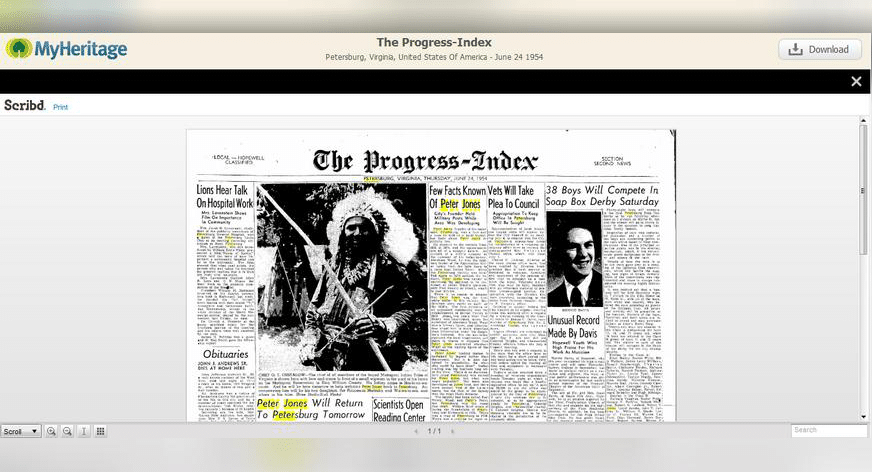
We’are delighted to introduce you to SuperSearch by MyHeritage, a brand new search engine for historical records! In development since early 2011, and officially out of Beta this week, we are proud to present one of the most comprehensive products we’have ever developed.
Search billions of historical records
Uncover your family story through historical records

Here’s a fun one-minute video about SuperSearch:
The release of SuperSearch is an exciting moment for genealogy and family history lovers everywhere who can now search over 4 billion records such as birth, marriage, death, burial, census, military, immigration, yearbooks, plus scans of the original documents.
SuperSearch at a glance
SuperSearch is found on www.myheritage.com/research. Its main search page is used for global searches and looks like this:
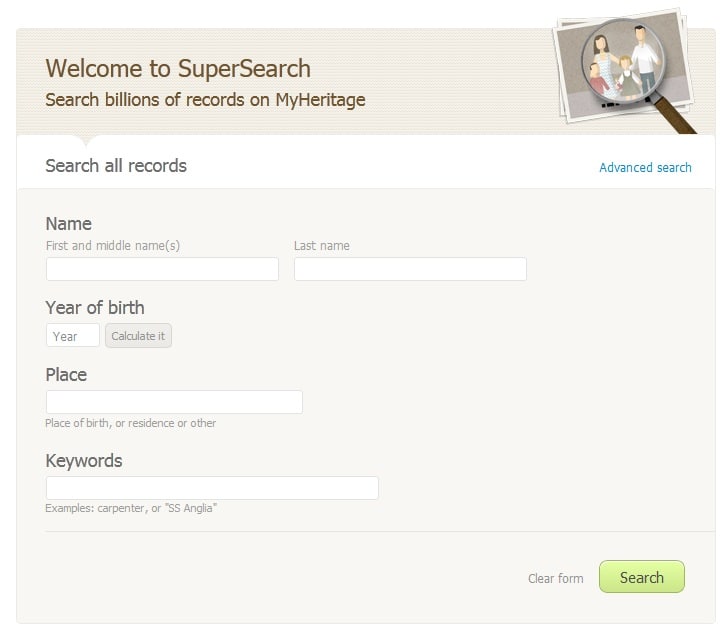
There is a lot of useful content on SuperSearch for you to explore. To begin with, SuperSearch includes MyHeritage family trees, photos and members that are public – altogether more than one billion exclusive records from all over the world that, in most cases, are only available on MyHeritage.
SuperSearch also contains the world’’s largest collection of historical newspapers, ALL the England and Wales census records from 1841 till 1901 and hundreds of millions of UK birth, marriage and death records. We also brought over content from other excellent sites under license agreements, such as tens of millions of tombstone photos and transcriptions, to make SuperSearch a one-stop search engine for historical records.
We’re constantly adding new data to SuperSearch, with at least one million historical records plus one million family tree profiles added each day. Next week we’ll be adding 17 million vital records from Venezuela, available on no other genealogy website. We’re adding a full name index of the 1940 US Federal Census, and it’s growing daily. This means that even if you don’t find what you’re looking for on SuperSearch, chances are we’ll have it for you very soon.
Because SuperSearch is international, it has content relevant to all countries, with strong data collections from the USA, UK, Ireland, Australia and Canada. We’re rapidly expanding the data sets with the ambition to grow SuperSearch over time to be the largest worldwide collection of historical documents available online.
Here’s an example of a straight-forward search, looking for the last name Degenfelder:
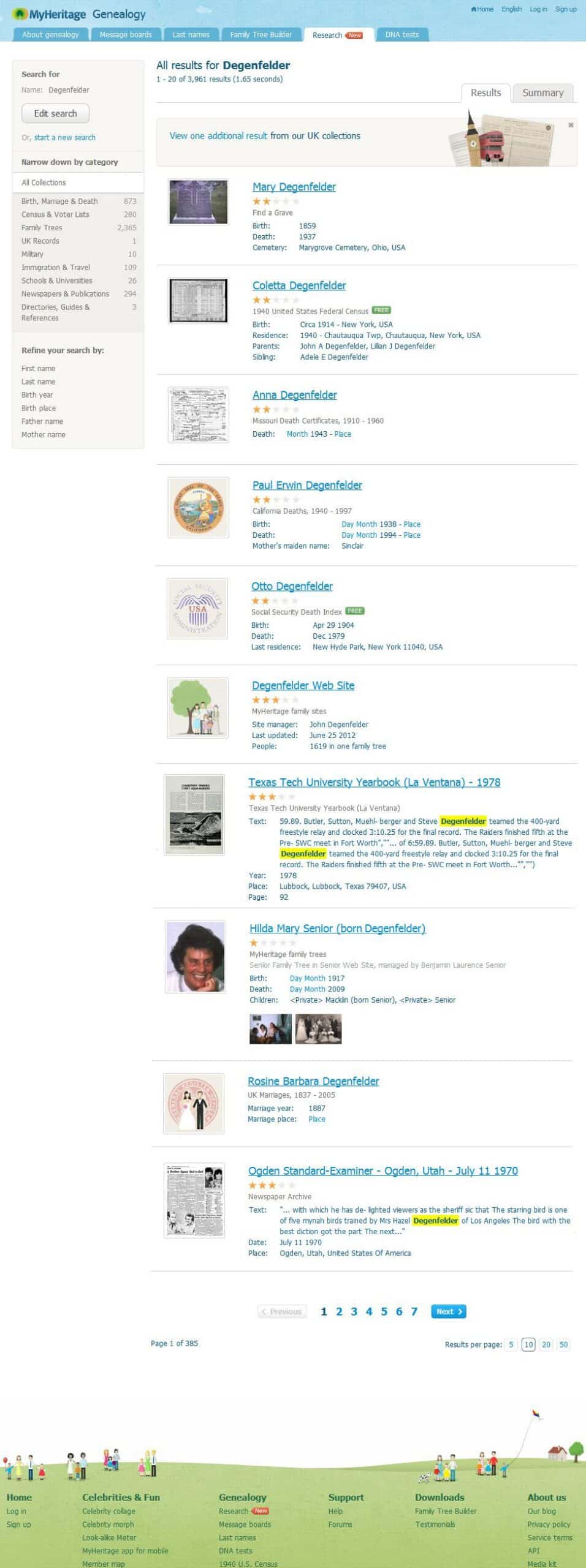
The results of this search demonstrate the usefulness of SuperSearch.
The first page shows 10 of 3,961 results, which include interesting and diverse content such as a gravestone photo from a cemetery in Ohio; a 1940 US Federal Census record; a Missouri Death Certificate; a California Death Record; an SSDI (Social Security Death Index) record; a MyHeritage family site where the site manager may be contacted; a Texas Tech University Yearbook where text and a picture of a swimming record in 1978 can be seen; a UK Marriage record from 1887, a newspaper article from the 1970’s and many more results in the following pages. This could be solid gold for anyone researching this last name.
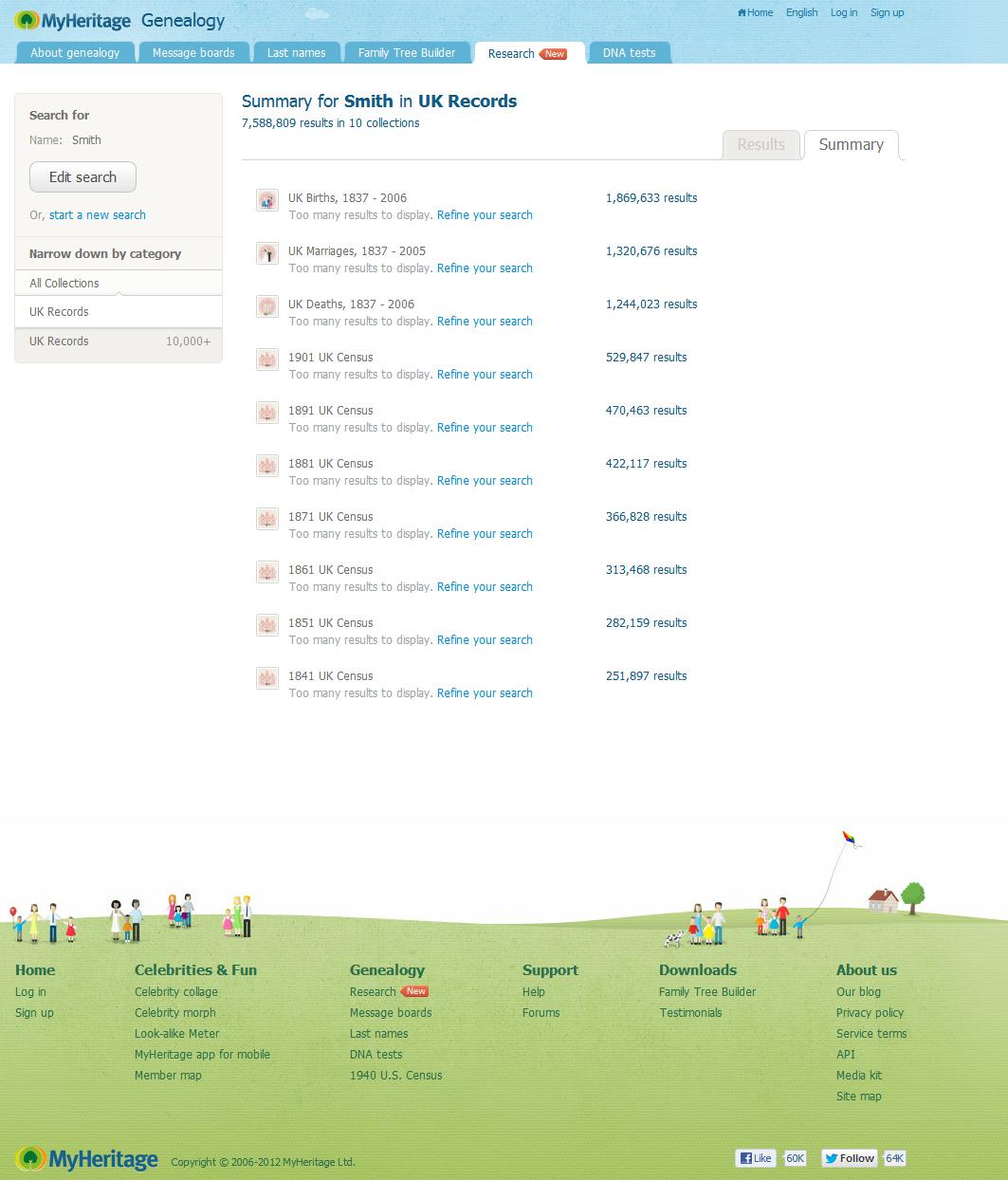
You can also view search results in Summary Mode which shows them grouped by collections. Click any collection to see its results. This mode helps you go over results systematically, by collection. Below is an example of how Summary Mode looks when searching UK records for SMITH.
You can run an advanced search to increase flexibility. Here you can search by events (e.g. birth, marriage, death, immigration and others), by relatives of the person you’re looking for, as well as by keywords (also available in the basic search).
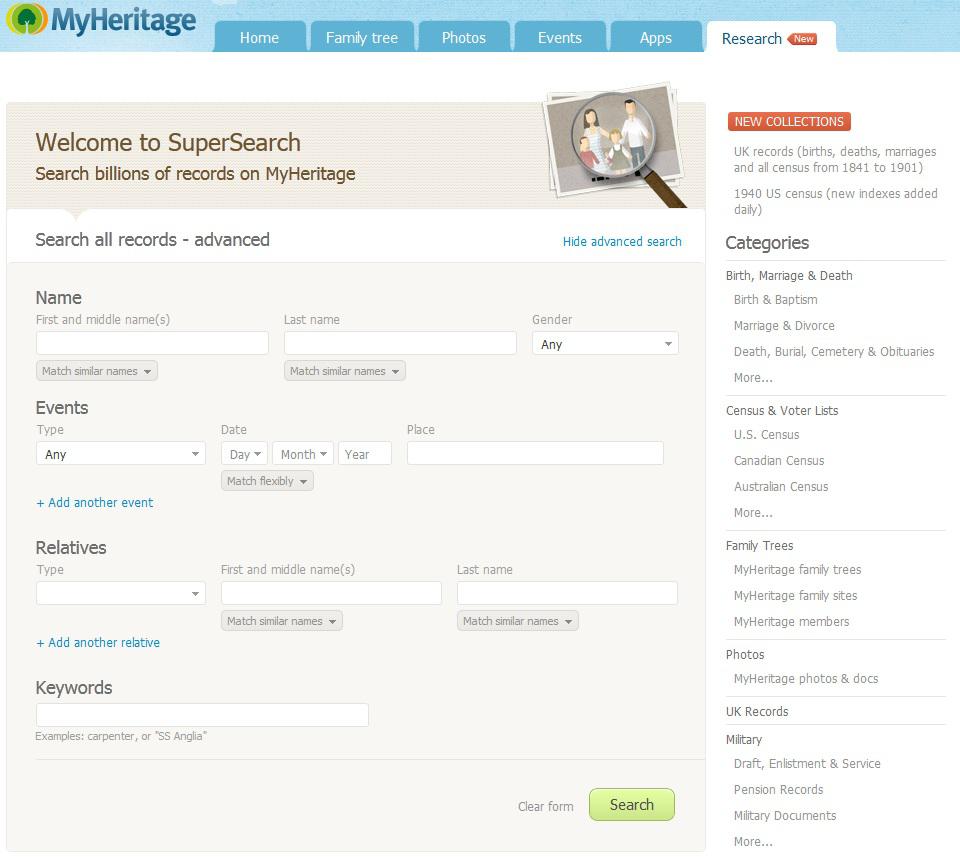
SuperSearch walkthrough
Let’s have a look in more detail. As you can see below, you can search specific collections or categories, in addition to searching globally. Every collection and every category of collections has a separate search form specifically designed for them. You can navigate the categories and collections by using the hierarchy on the right-hand side of the main search page.

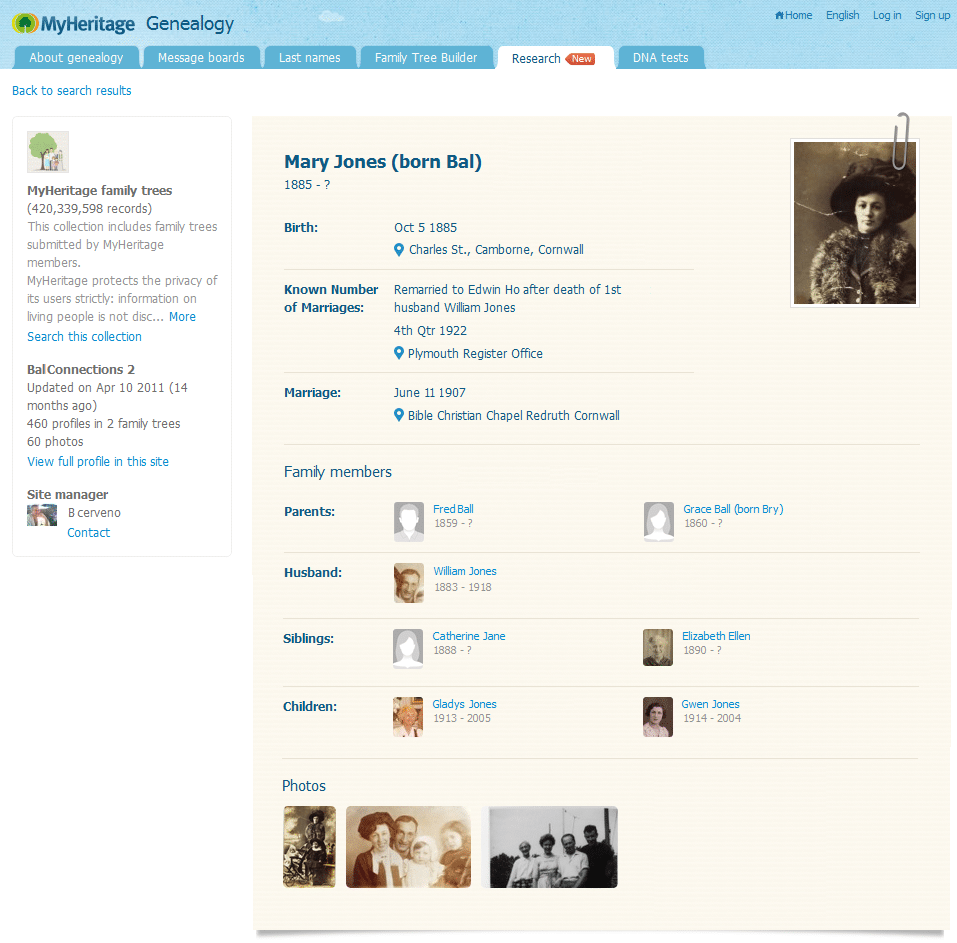
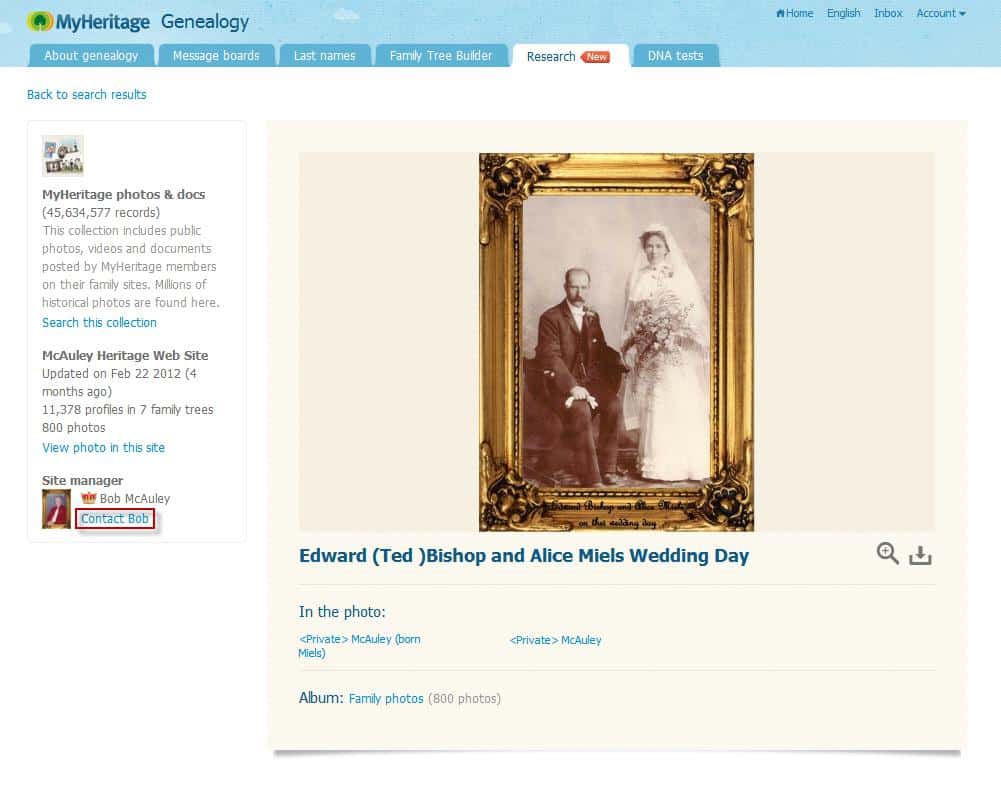
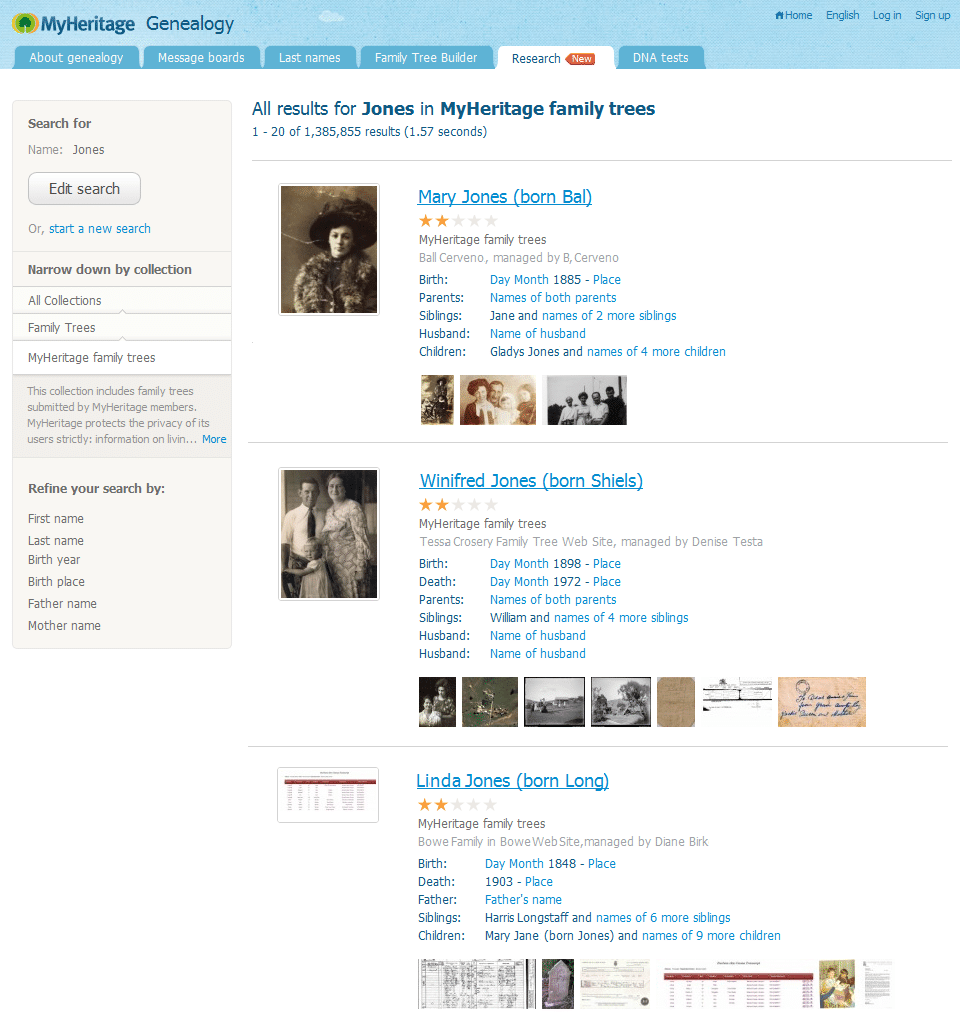 Clicking any result will show its record page. In case it’is a family tree individual, the record page is called a “profile page”. It contains more information about the person, including links to close relatives, and relevant photos.
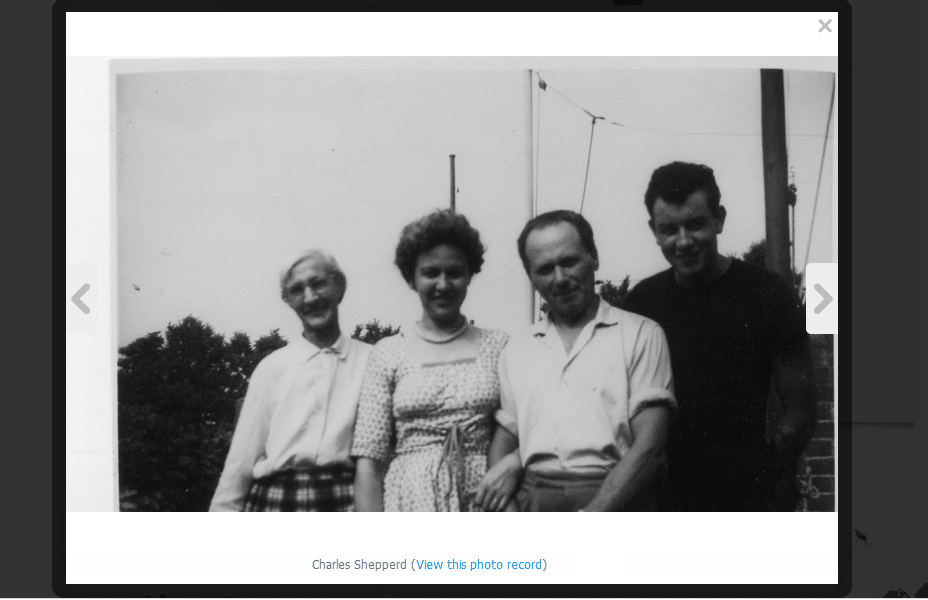
 You can click any photo in a profile page to see it in larger size.
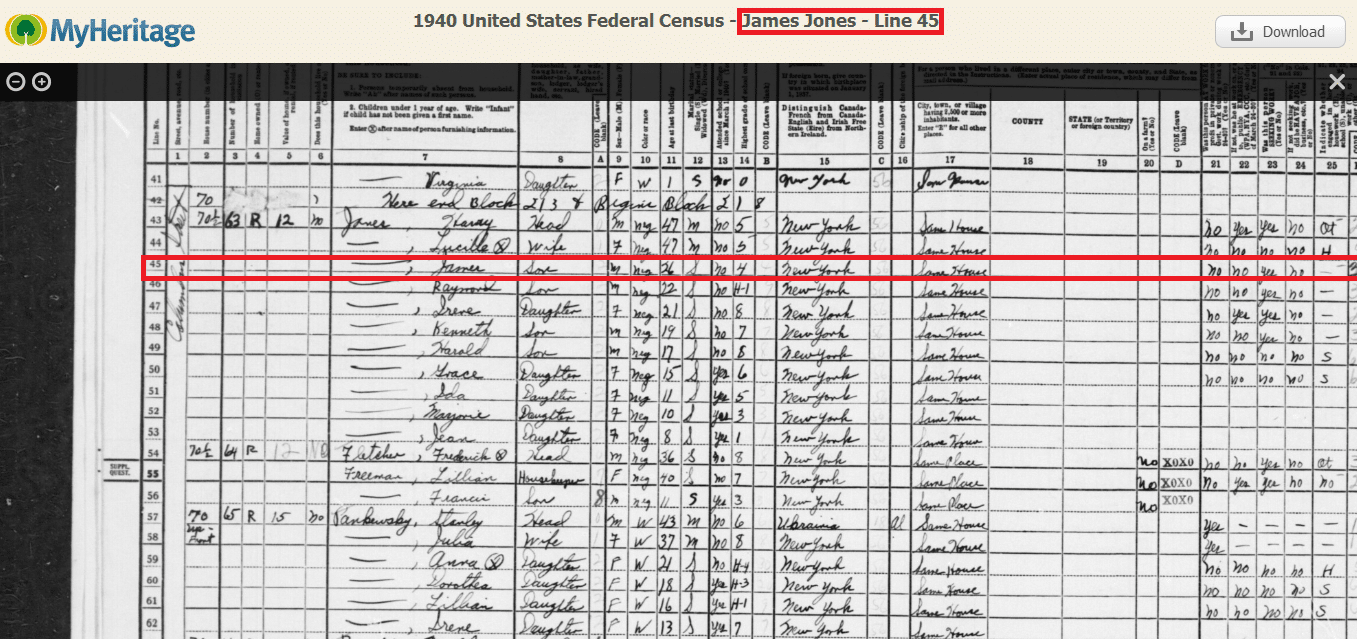
 We’ve just seen a profile page for a person in a family tree, but note that every type of record is displayed in a record page most suitable for it when you drill down to see it. Below is an example of a 1940 census record page. The census image is displayed in our census viewer which allows zooming in to see the full details of the person and of other people in his/her household.
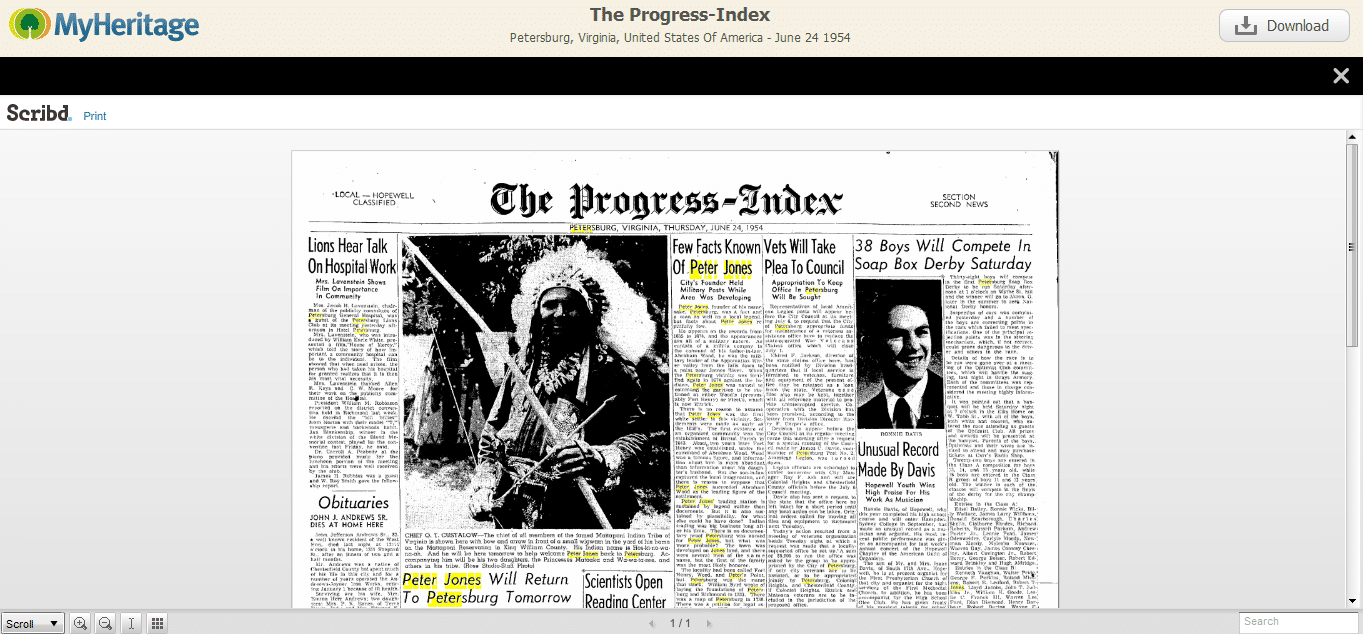
Record pages for newspapers will include highlighted text of your search terms to help you focus on the relevant article. You can save any image to your computer and even copy text from it and paste it into your family tree.
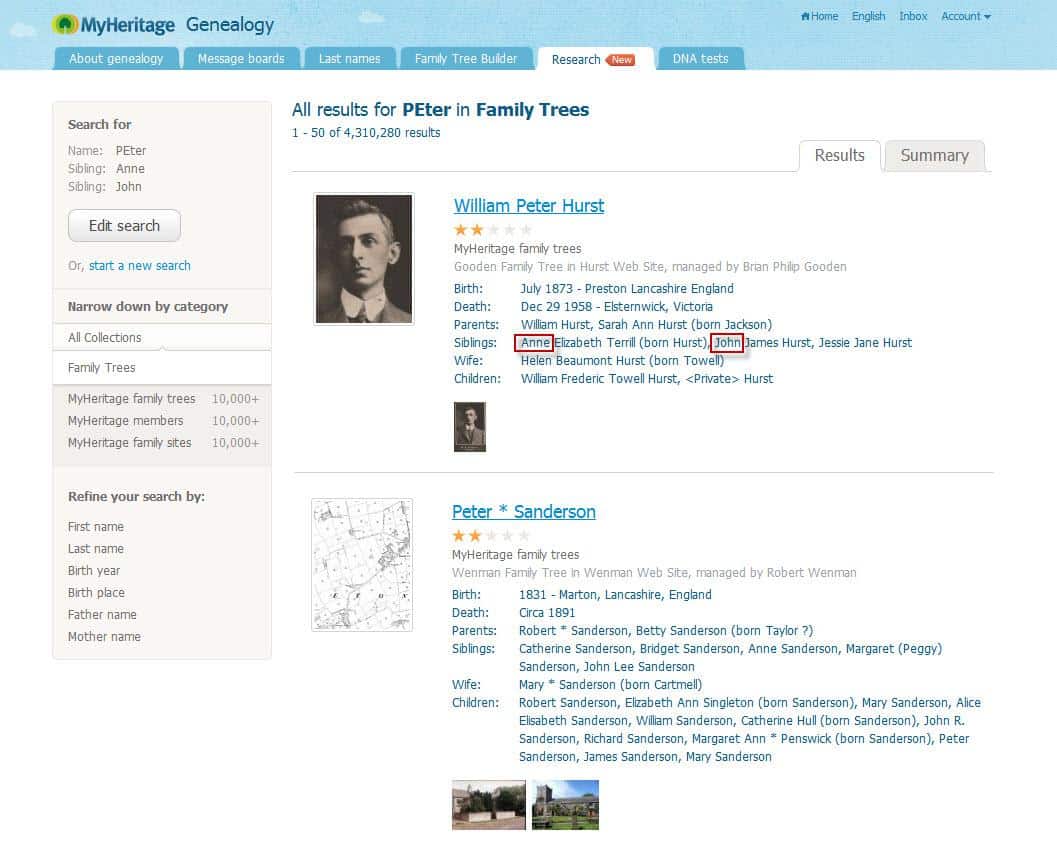
You can use SuperSearch’’s advanced search to find people based on their relationship without even entering last names. Here’is an example of a search for Peter. We know his siblings are called Anne and John, but have no other information.

SuperSearch will display results that match these criteria.
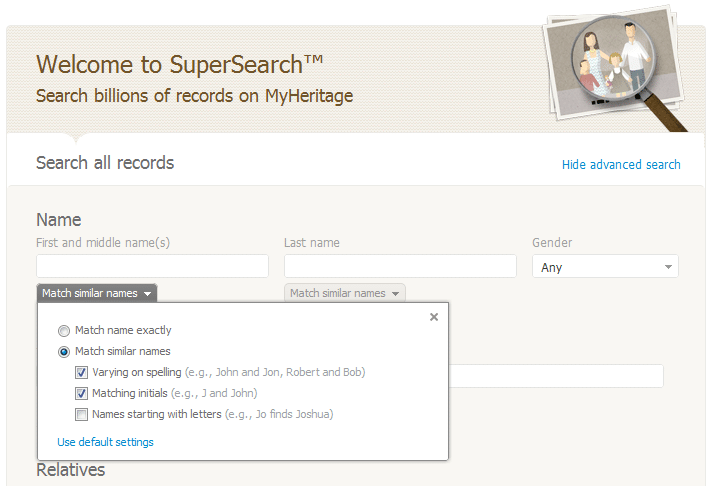
Sometimes you may not know the exact name of the person you’re looking for, or that person may be found in historical records with a different spelling than the one you had in mind. Don’t worry. When using SuperSearch you can control how you’d like it to search names. It can match the name exactly or use the default setting that will automatically catch first name variations such as Bill and William; as well as likely last name variations. Separate matching options are provided for first names and last names in the advanced search form. This lets you run exact searches with pinpointed accuracy, or cast a wide net to catch as many plausible variations as possible, to find those elusive ancestors whom you’have never been able to find before.
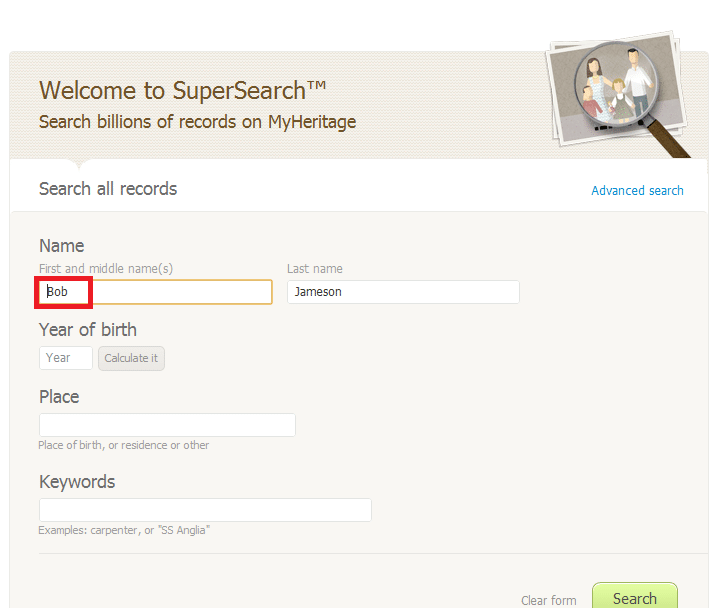
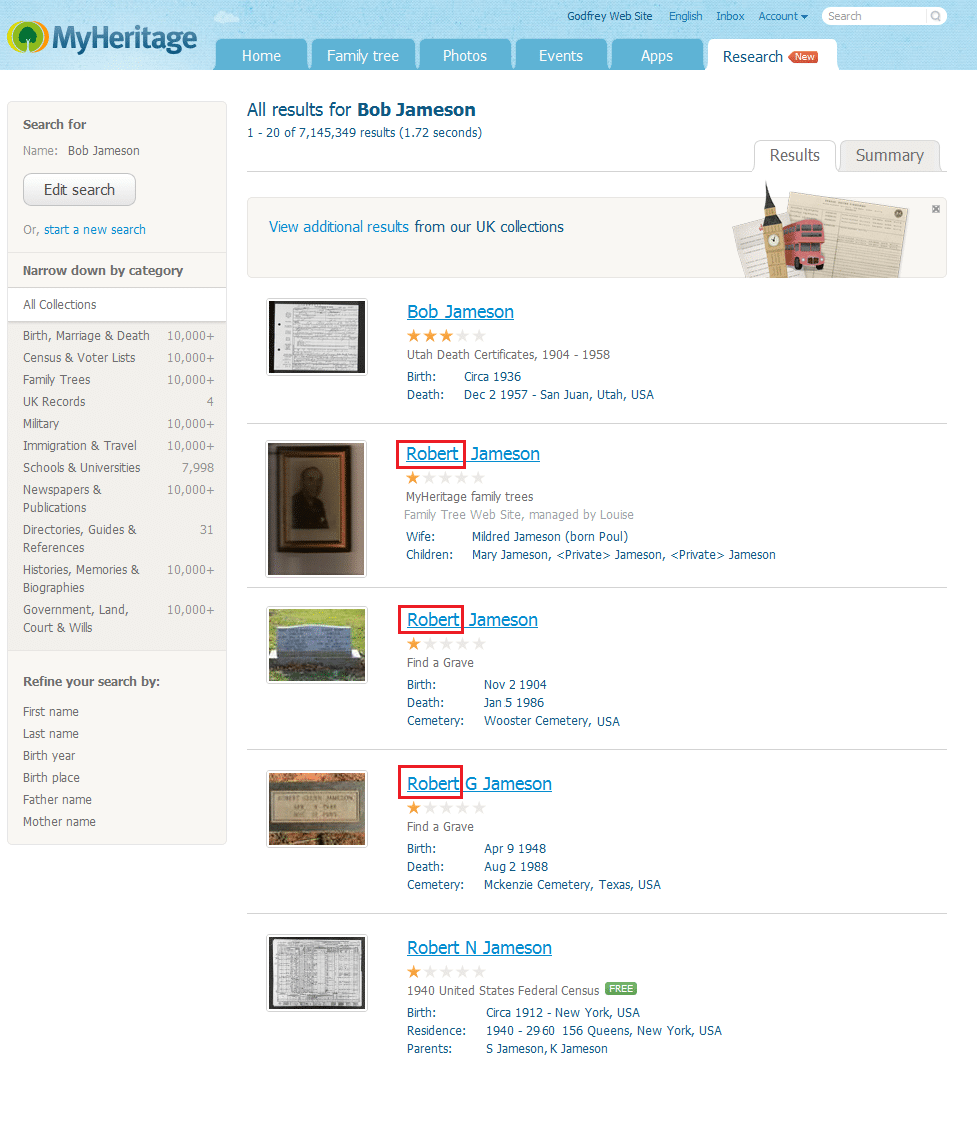
Here’is a search for the name ‘Bob Jameson’. As you can see, SuperSearch understands that Bob is a synonym for Robert and so displays results accordingly.
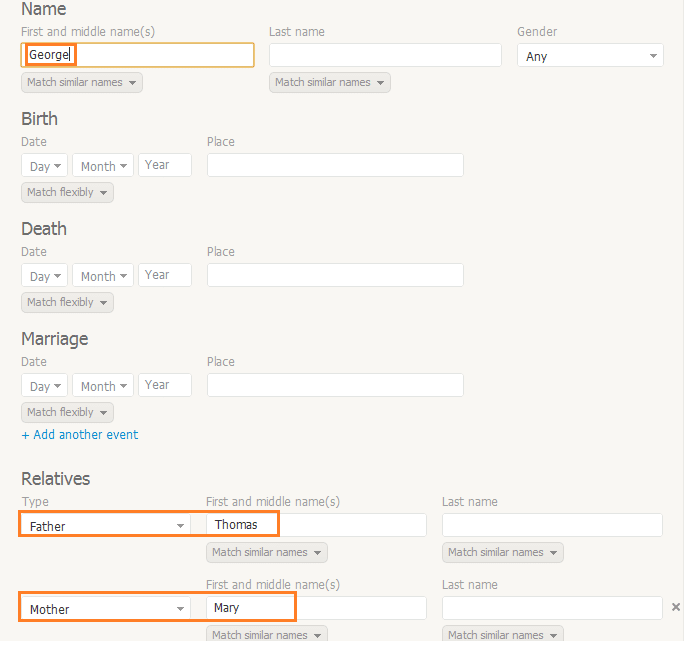
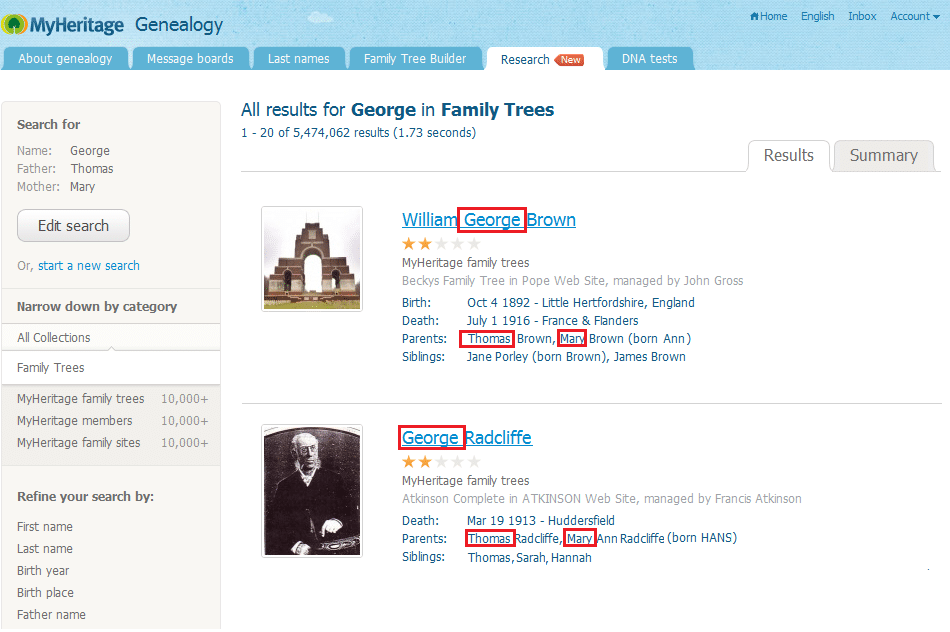
Please note that SuperSearch will even figure out the likely gender of the person you’re looking for. So if you search for a person called George, SuperSearch automatically infers that you are most likely searching for a male. This is useful because your search results may include initials, like Michael G. Smith, but females such as Rachel G. Smith will not show up because the likelihood of matching your search is very low. Such automatic deduction of gender is among the many unique features in SuperSearch and is not found in other search engines.
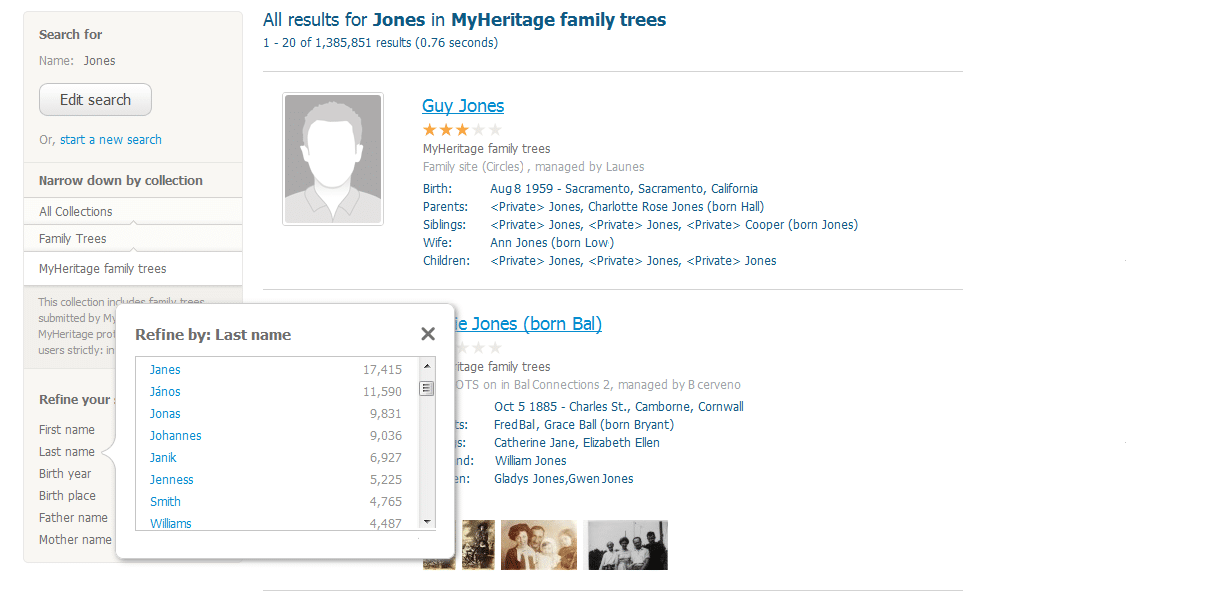
Once you receive results, you can refine them by collection, or by names, places and other common fields. This is called faceting and it is a very useful feature.
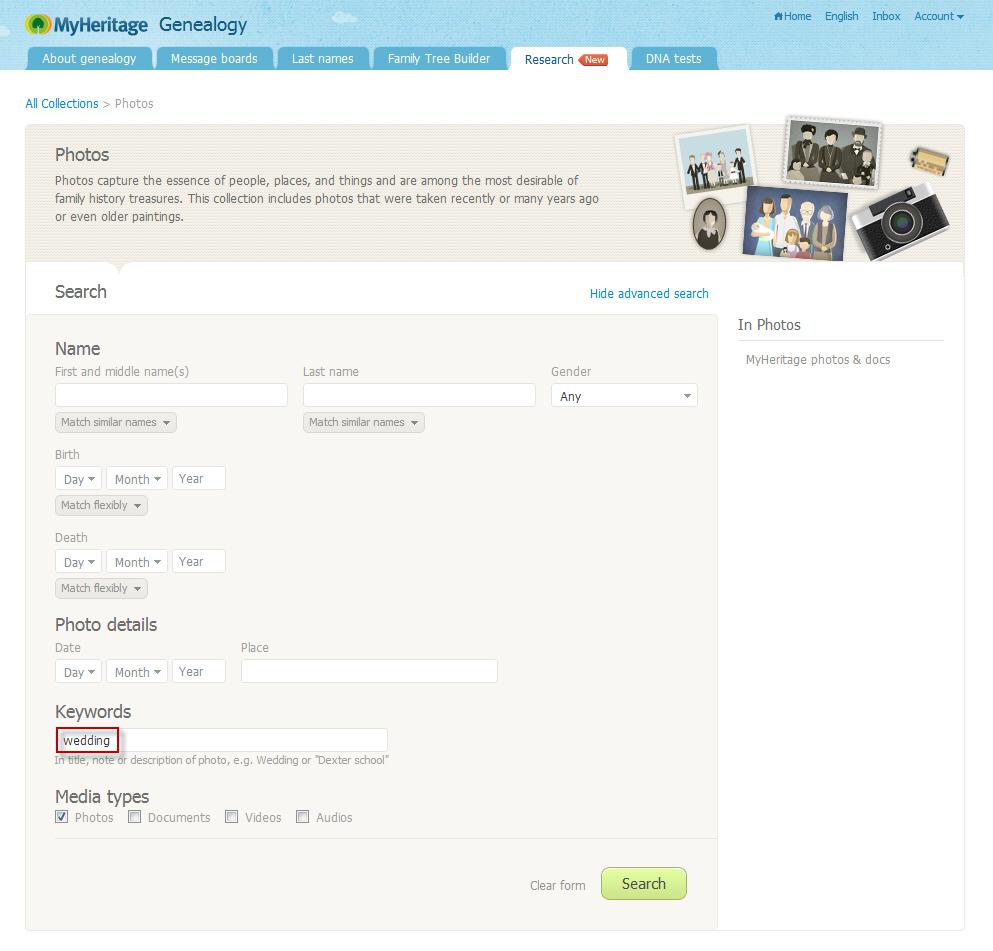
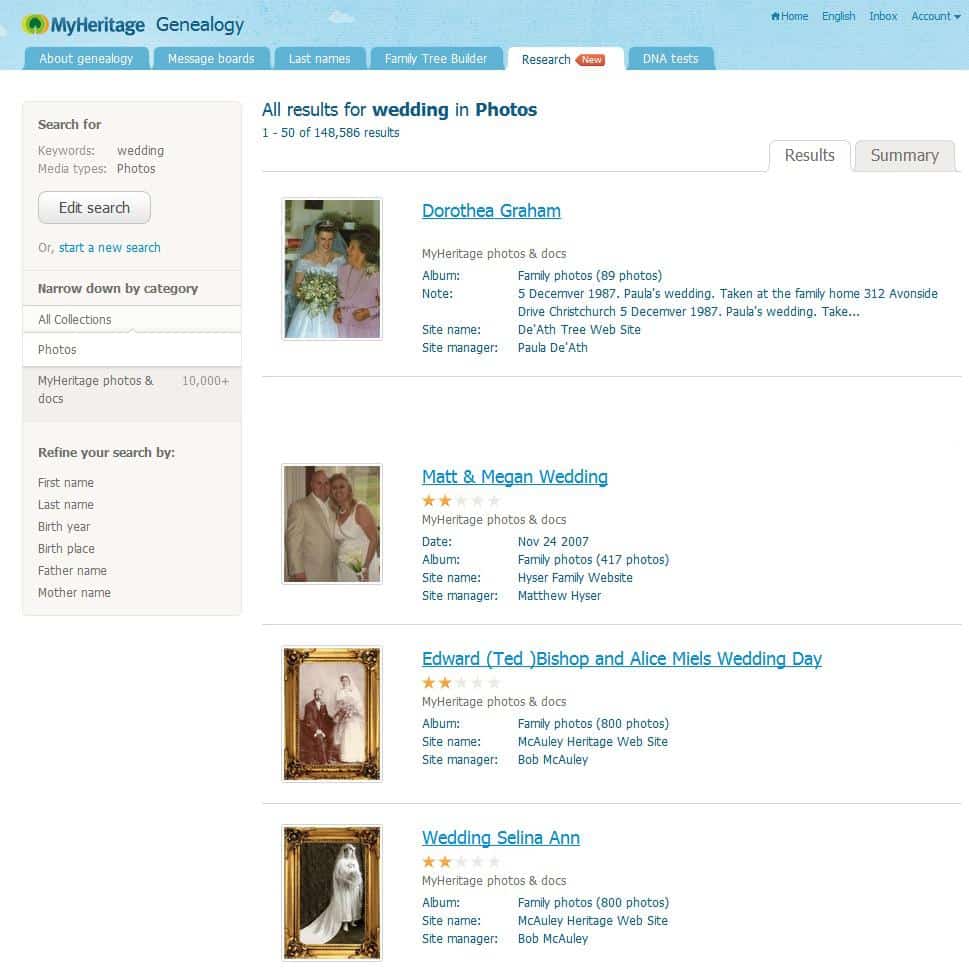
Keyword searches are often very useful because they cover many fields, so they can be used to look for a town or a person’’s occupation. Here’is a keyword search within the MyHeritage photo collection for ‘Wedding’, which is useful for finding wedding photos, because it will look for the word ‘Wedding’ in titles and descriptions of photos. You can enhance this search by adding more criteria, such as the places and dates in which photos were taken.
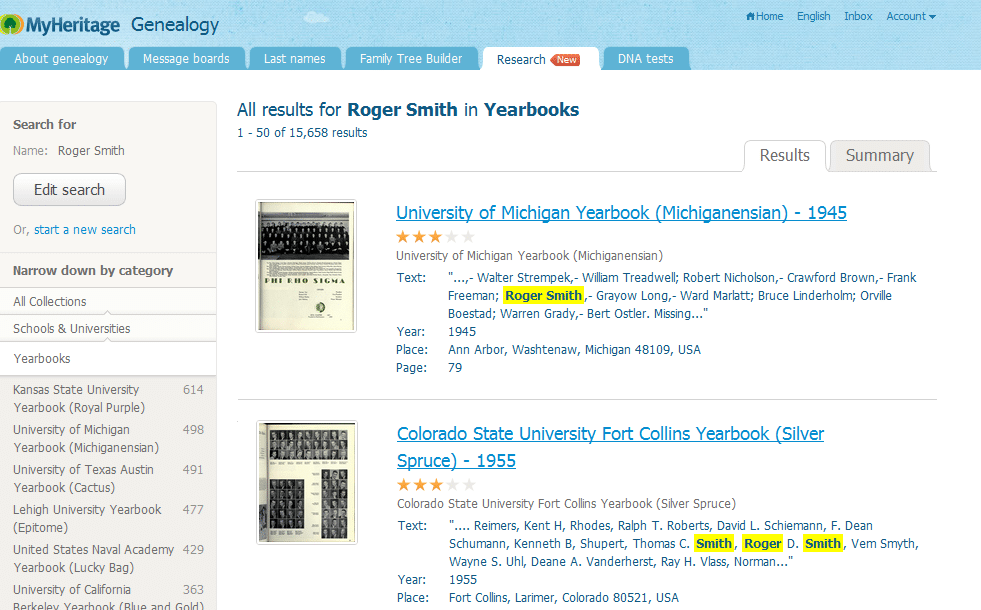
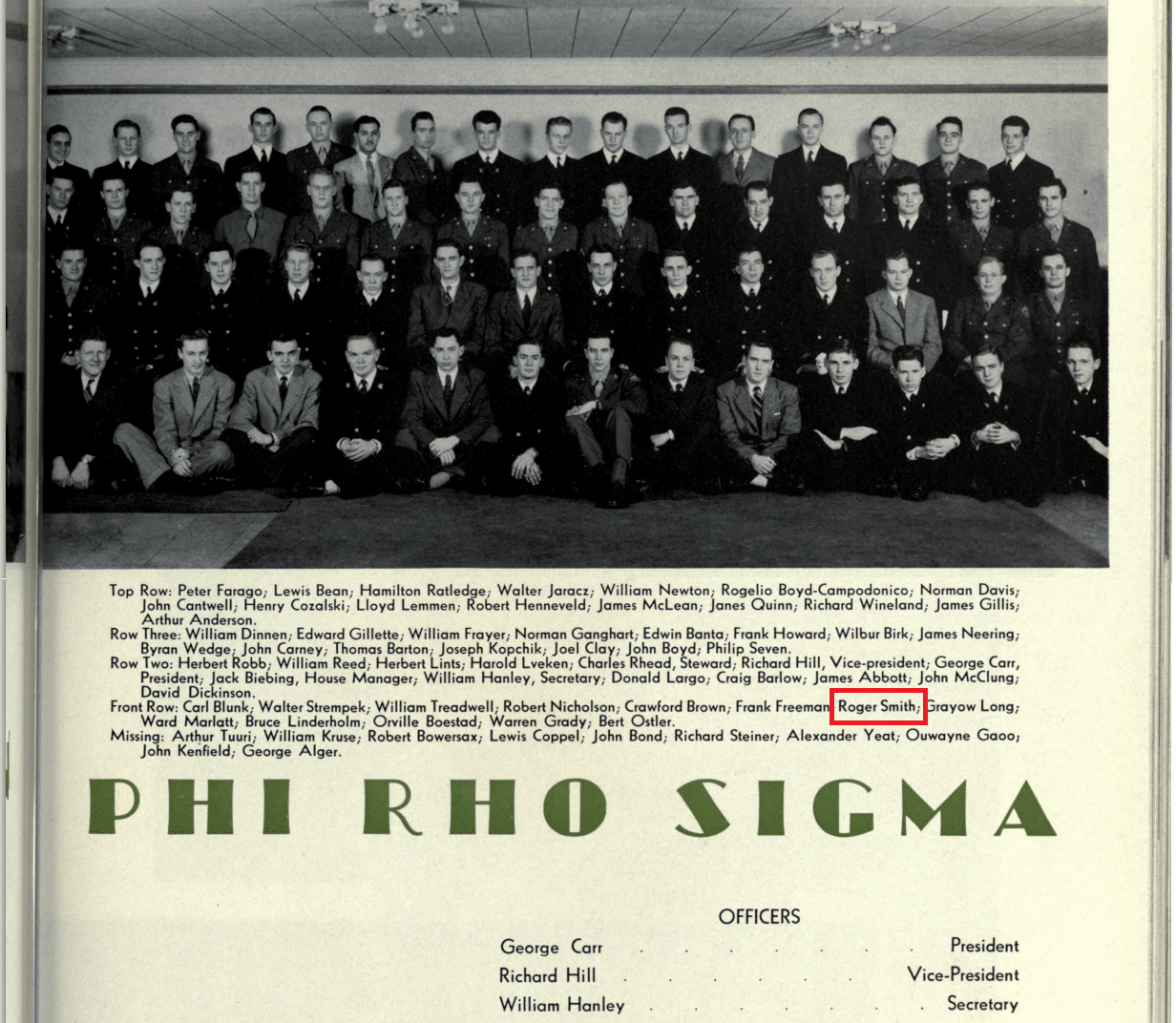
We mentioned the various collections available for you to search. You can search any collection individually if you wish to focus on it, instead of searching globally in all collections. Here’is an example for searching in yearbooks. SuperSearch has a very large collection of these books from schools and universities, and here you may discover your parents or grandparents as you’have never seen them before.

 SuperSearch is an international search engine. As well as searching through international records, you can also use the search engine interface in 38 different languages. No other genealogy search engine supports so many languages, and our goal is not only to make it useful in your language, but also to add global content that will be useful for family history research in your country.

Summary of SuperSearch features
- Easily search for historical records of any person by first name and/or last name, with optional dates or places.
- Search also by keywords, events, relationships and other advanced criteria.
- Find people without even knowing their last name, for example, find 3 brothers in the same family using only their first names and relationship as siblings, or find all people born on a certain date or in a certain town.
- Run a global search to cover all data collections at once, or drill down to search only in one collection or one category.
- SuperSearch is smart enough to figure out the likely gender of the person you’are trying to find.
- Choose between a mode that shows all results, and a summary mode that shows the count of matches from each collection.
- Results arrive fast, typically within a second, ranked by relevance.
- Refine results by collection or by any other common criteria.
Coming soon: Record Matching
Next month we’will release Record Matching, a sophisticated technology that will compare the billion family tree profiles on MyHeritage to the 4+ billion historical records on SuperSearch to find matches (i.e. historical records) with high accuracy, and bring them to you. You’will receive notifications whenever our system automatically finds records that match people in your family tree. We’have got some great examples of this technology in action and we look forward to sharing them with you soon. Anyone with a data subscription or credits (see below) will enjoy full access to these Record Matches.
Subscriptions and credits
Searching SuperSearch is free and viewing results from some data collections is also free (e.g. Social Security Death Index, etc.), but viewing other records requires a new type of subscription, called a data subscription, which also provides unlimited access to Record Matches.
We’re sorry but we cannot offer all historical data for free to existing MyHeritage Premium or PremiumPlus subscribers because much of the historical data comes from partners who require royalties on that use by customers. For example, views of UK census records require fixed royalties to the official UK archives.
However, some key SuperSearch collections are free for everyone, such as the Social Security Death Index. PremiumPlus users can search and view all family tree profiles for free, as a reward for their loyal support, as well as photos, members and sites. Premium users can view members and sites for free.
You can also view specific records by purchasing pay-as-you-go credits.
To celebrate the release of SuperSearch, we’are offering a limited-time 36% discount meaning you can take full advantage of SuperSearch for as little as $76.20 a year. You can check out the prices and get a discounted data subscription now.
MyHeritage Premium users can enjoy a 42% discount ($68.40) and there’’s a 45% discount ($64.80) for PremiumPlus users. To top it all off, if you had purchased a subscription with WorldVitalRecords, we’will give you a complimentary subscription for SuperSearch for the same duration – so if you have 11 months left, you’will receive 11 months to use SuperSearch for no extra cost.
If you have any questions, feedback or suggestions about SuperSearch, please contact us at myheritage.com/contact-myheritage.
We hope that SuperSearch will help you unravel mysteries in your family history and that you’will have lots of fun while you’are at it. We look forward to hearing about your discoveries, and invite you to start SuperSearching!


Comments
No comments yet. Be the first!